Nexus-DEV-Tool

Beta 0.6.1, free for noncommercial use

See why your PC is slow, not just that it is.

Nexus-DEV-Tool watches Windows 10 and 11, explains what it measures and names the program behind a problem. It runs on your PC, without an account or telemetry, and never makes up a value.

Download Join the Discord

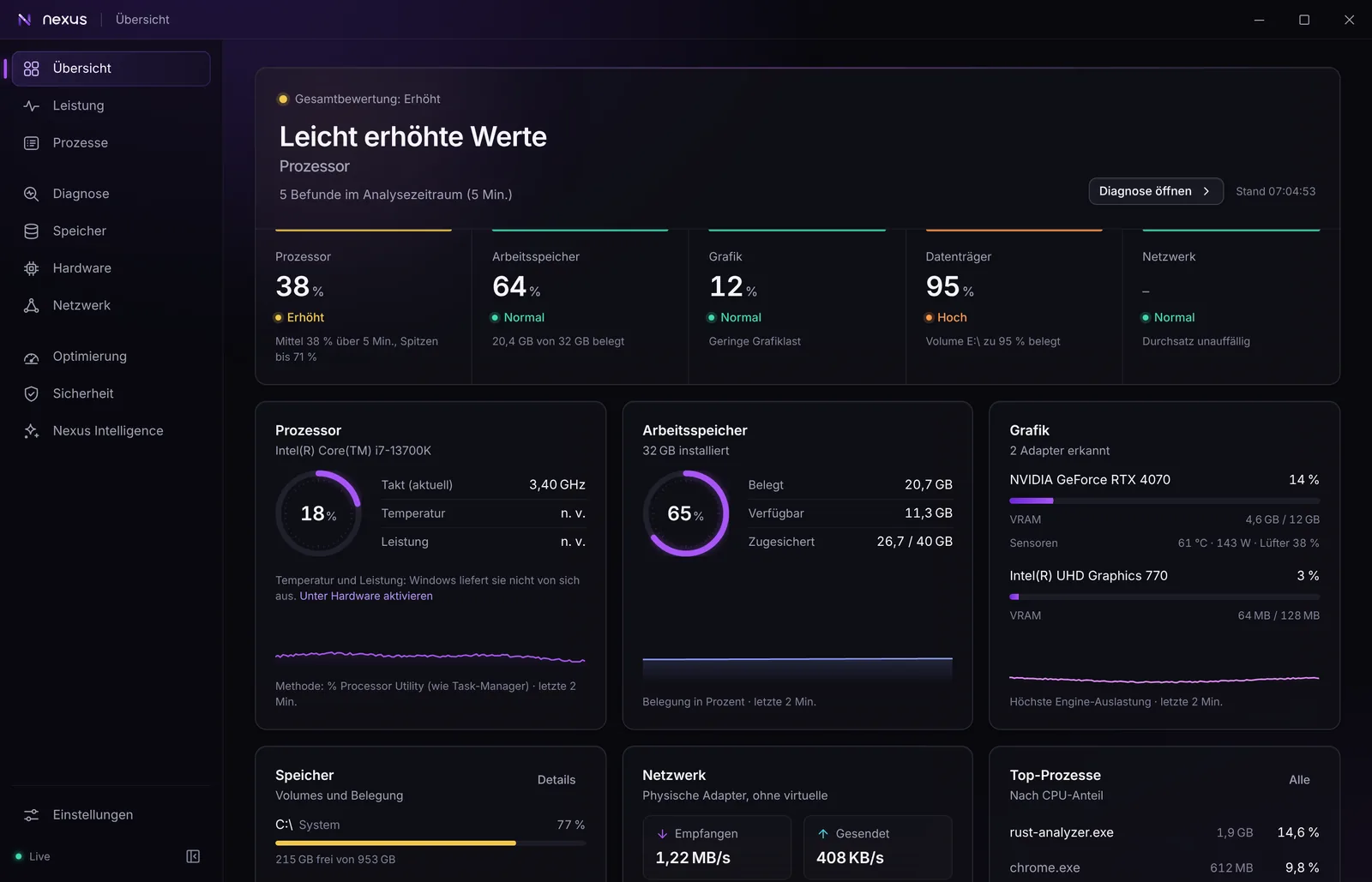
Nexus overview page: an overall rating with cards for processor, memory, graphics, drives and network, showing live values and a short explanation for each.
The overview with test data. The interface is in German for now; English is on the roadmap.

Four rules behind every feature

No invented values
If Windows cannot measure something, Nexus shows Not available. There are no estimated temperatures and no made-up scores.
Explain, don't alarm
Measured observations, likely causes and unconfirmed hypotheses are kept apart. A short load spike does not raise an alarm.
Nothing without your consent
Every change to the system needs your confirmation, is written to a local audit log and can be undone where possible.
No false sense of security
Nexus is not an antivirus and never calls a file safe. It shows what Microsoft Defender and Windows report.

Light on purpose: an installer of about 6 MB, around 140 MB of memory including the WebView, and 1 to 2 % CPU when idle. Measured in the automated start test on a 2-core virtual machine; real hardware may differ.

What Nexus does

All pictures come from the real interface, filled with test data.

A diagnosis that names causes

Nexus evaluates load over time and tells you which program is responsible, instead of showing another wall of graphs.

  • Windows event log explained in plain words
  • Game sessions with the measured bottleneck
  • A diagnostic report without personal data
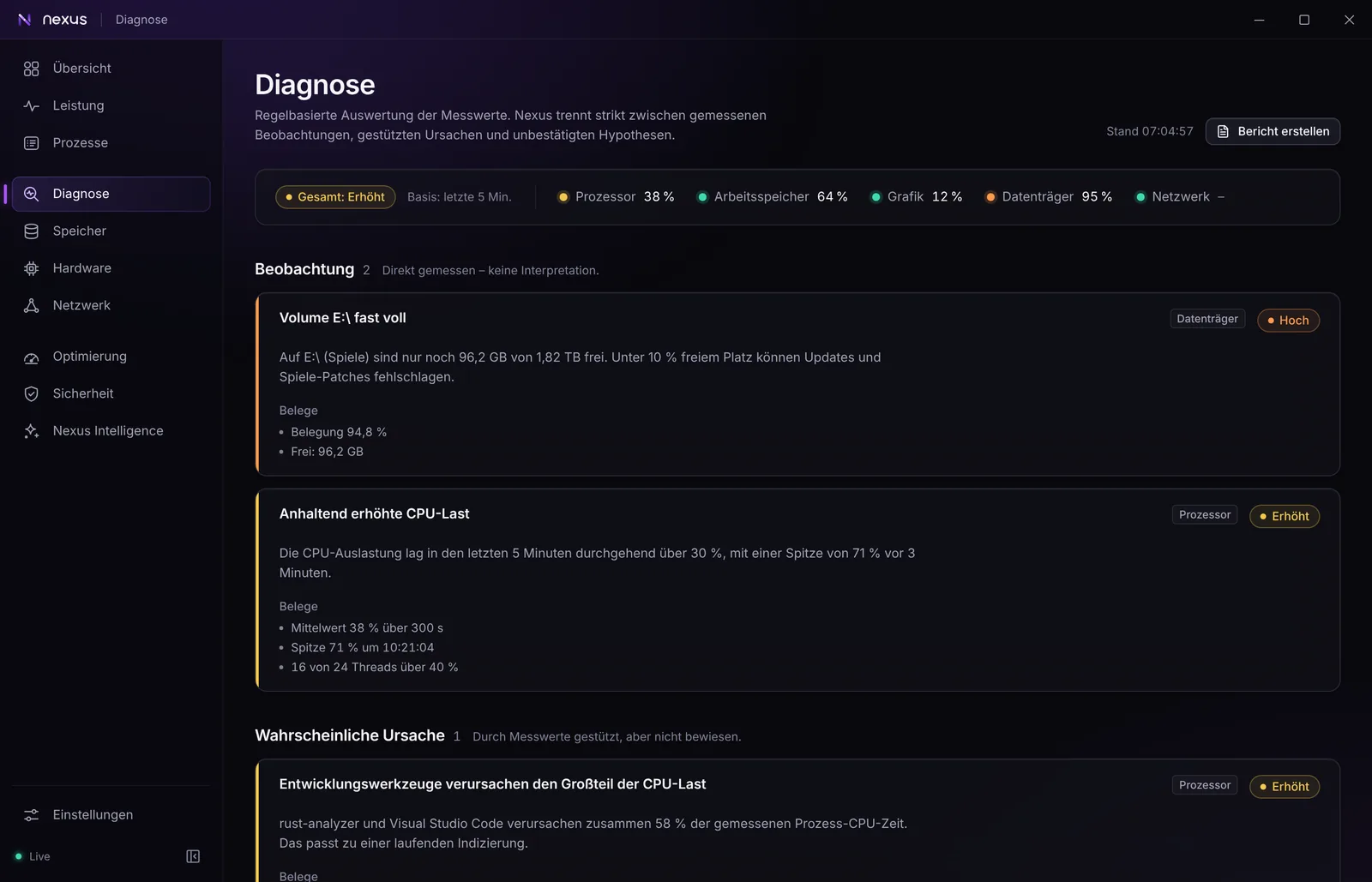
Diagnosis page listing observations such as a nearly full drive and sustained high CPU load, each with its evidence, followed by the likely cause.

Check a file by dropping it in

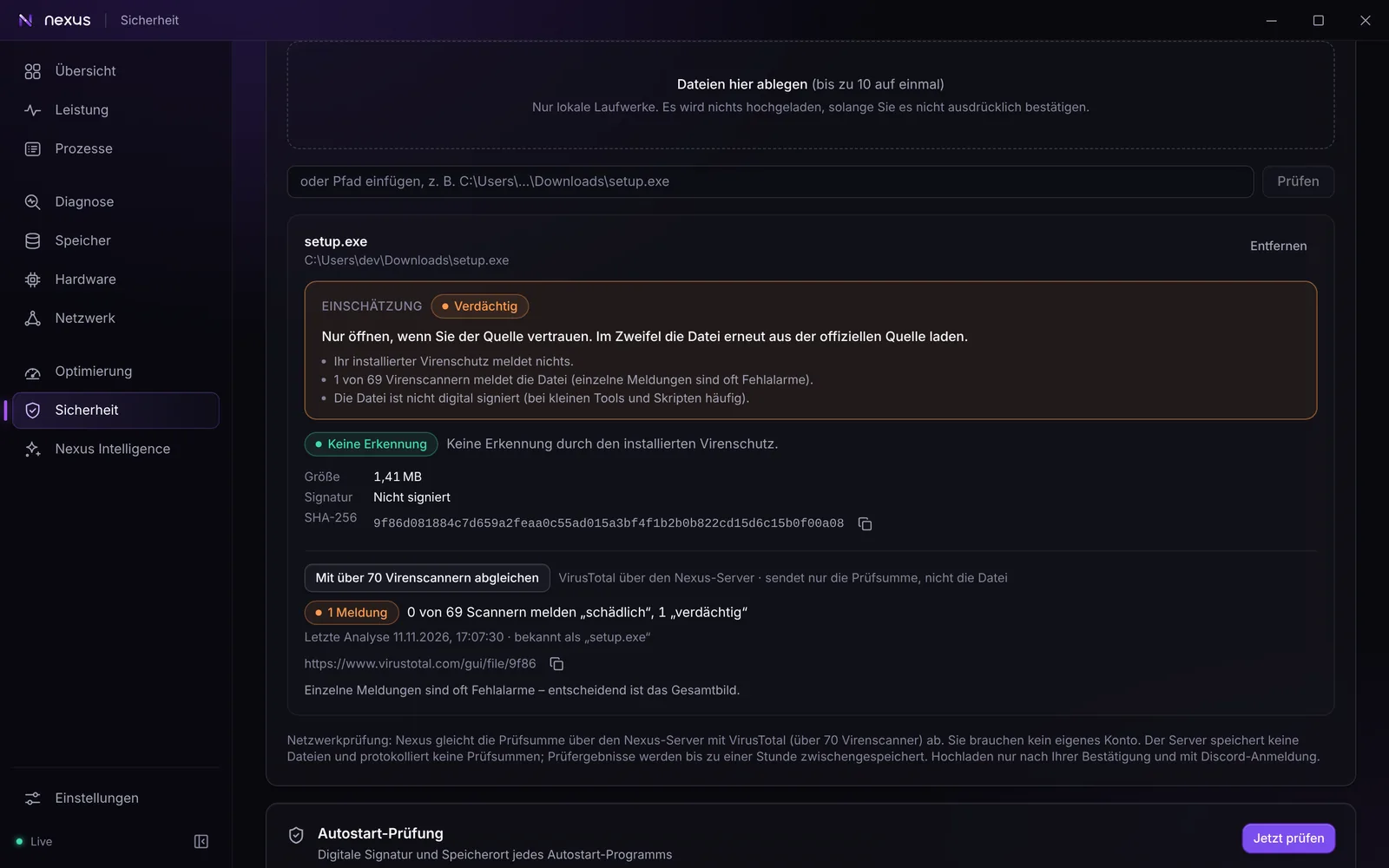
Drag a file onto Nexus or right-click it in Explorer. You get a clear assessment with the reasons behind it.

  • Checksum, signature and a scan by your installed antivirus
  • Optional lookup across more than 70 scanners (VirusTotal)
  • By default only the checksum leaves your PC
File check result for setup.exe rated Suspicious: no detection by the installed antivirus, one of 69 scanners reports it, and the file is not digitally signed.

Security at a glance

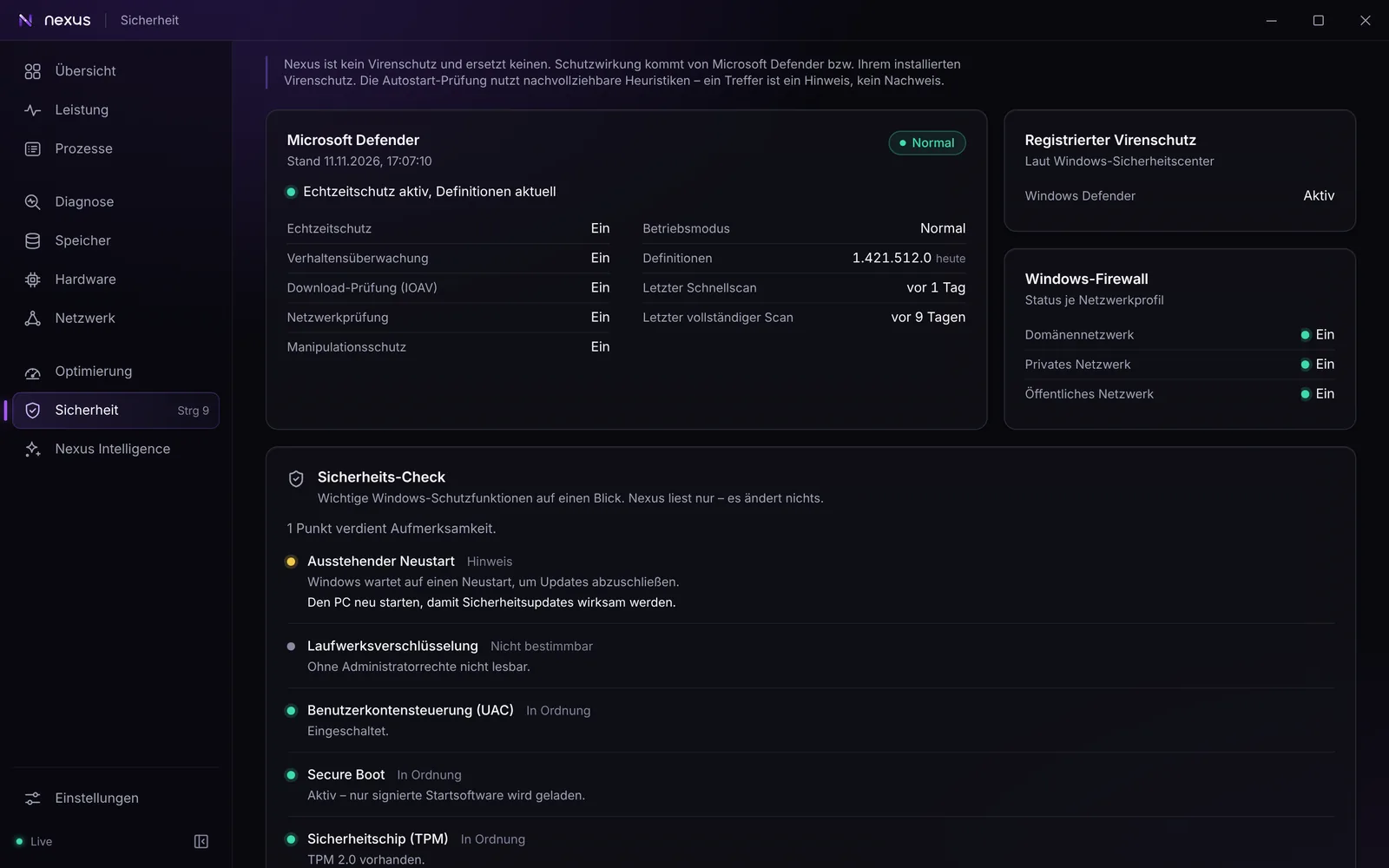
A traffic light for the most important Windows protections, plus a history of every change to them.

  • Defender, firewall, UAC, Secure Boot and TPM
  • A notice when protection gets weaker
  • Startup check with reasons you can follow
Security page with Microsoft Defender status, the Windows Firewall per network profile and a security check of UAC, Secure Boot, TPM and drive encryption.

Hardware and sensors

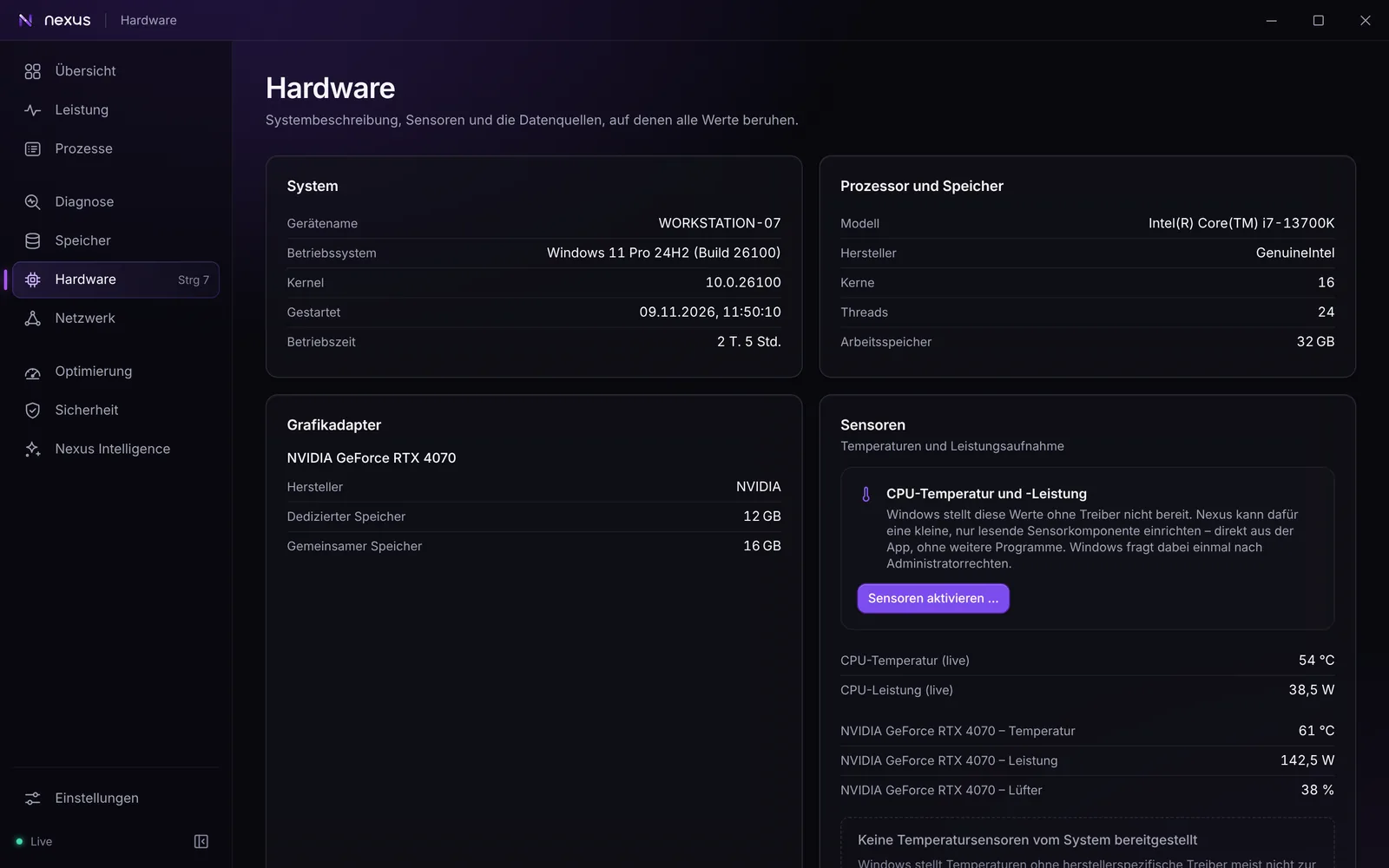
Drive health read directly from the SSD, GPU values from the driver, CPU temperatures through an optional component.

  • NVMe temperature, wear and power-on hours
  • NVIDIA temperature, power and fan speed
  • Your own alert rules, such as GPU above 85 °C for 10 minutes
Hardware page with system details, processor and memory, the graphics adapter and live sensor values for CPU and GPU.

Also in Nexus

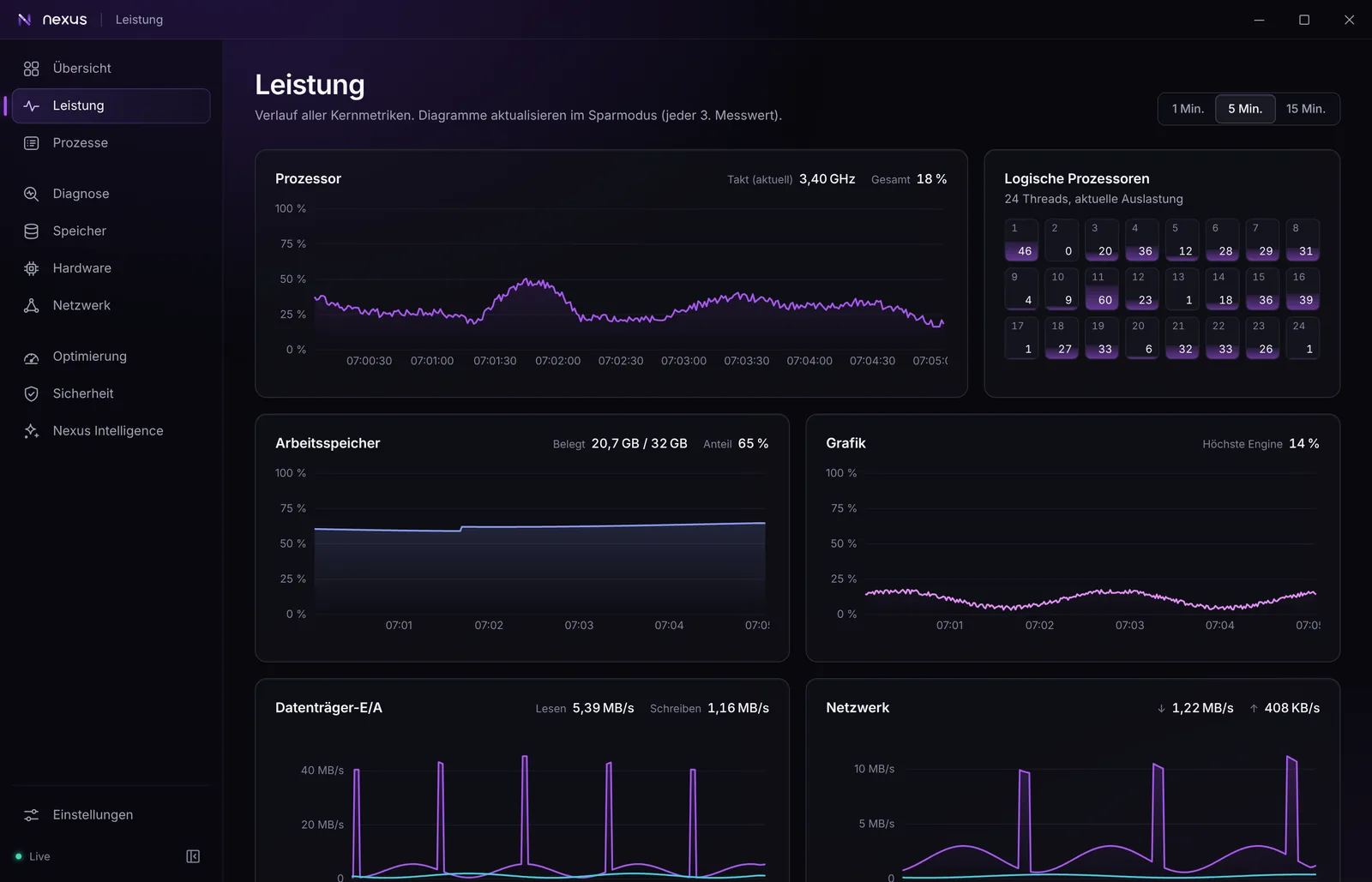
Performance
Real-time charts and a long-term history over 24 hours, 7 or 30 days.
Processes
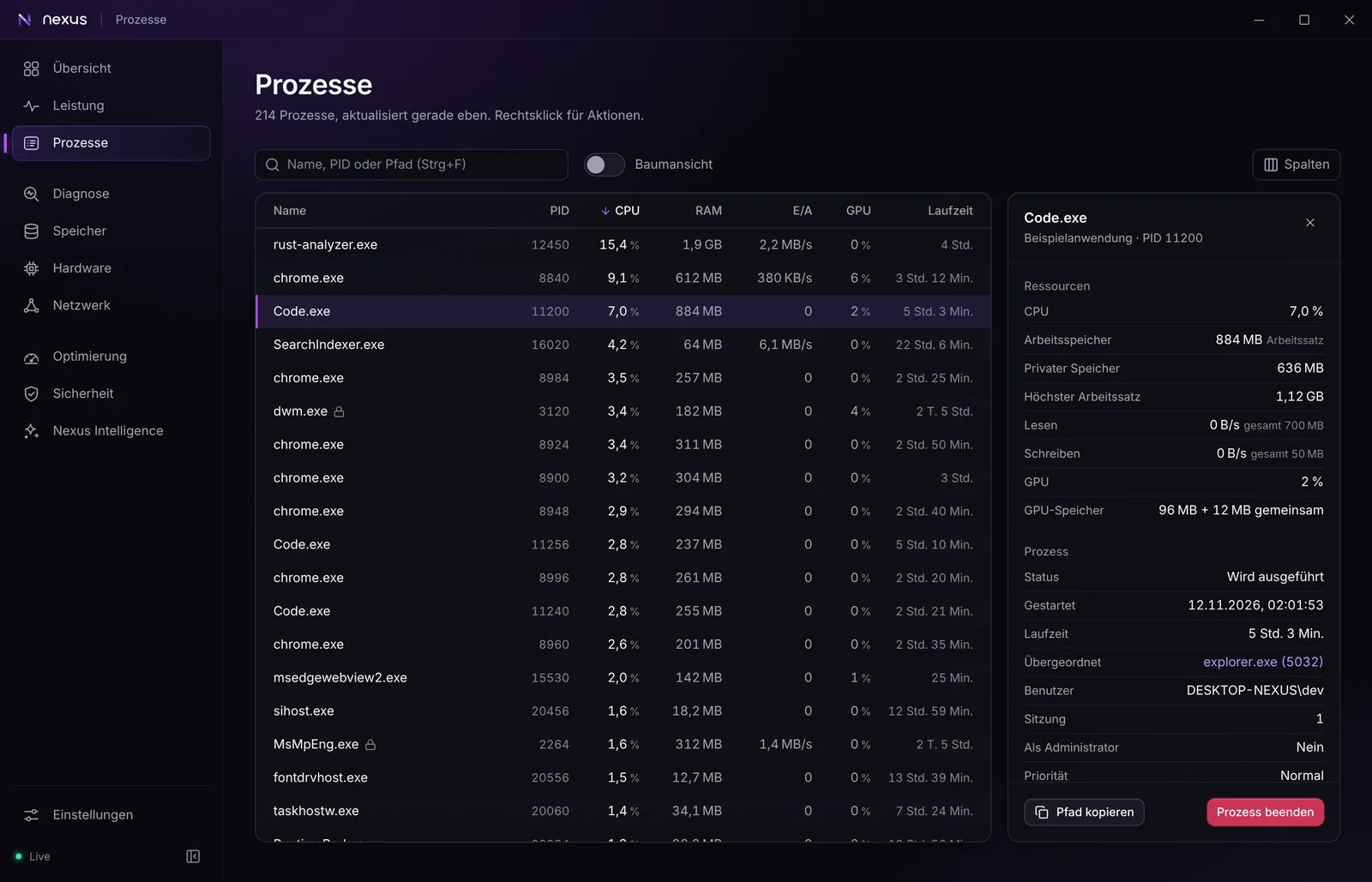
Search, tree view and details with signature check. Ending a process asks first and protects system processes.
Storage
Volumes, a treemap of what takes up space, the largest files and file types. Read only.
Network
Throughput, adapters and a connection test for latency, jitter, packet loss and DNS on request.
Optimization
A startup manager that can be undone, like in Task Manager.
Emergency assistant
Step by step help when you suspect malware: Defender update and scan, a report with reasons, a checklist. Nothing runs on its own.
Nexus Intelligence
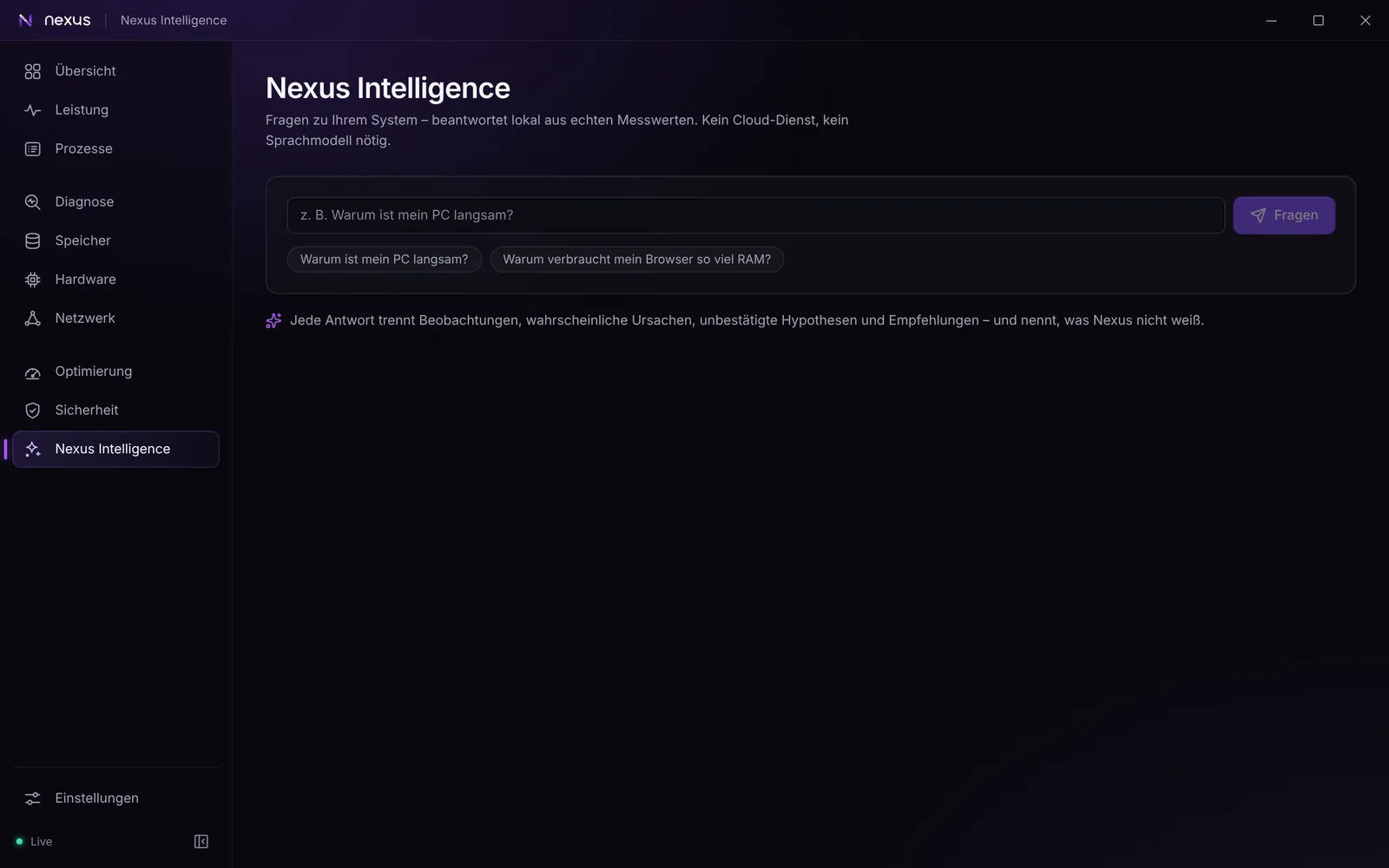
A local assistant that answers questions from the measurements and says where its limits are.
Notifications
Alerts for lasting problems, your own rules, and optionally a message to your own Discord server.

What Nexus will not do

Some things other “PC optimizers” offer are left out on purpose, because they promise more than they deliver or put your system at risk.

  • No registry cleaner and no RAM booster
  • No one-click “optimize everything” and no problem counter
  • No driver updater with its own database
  • No fan control, overclocking or undervolting through kernel access
  • No removal of Store apps
  • No antivirus of its own and no “your PC is safe” badge
  • Never switches off Defender, Windows Update, UAC or SmartScreen
  • No ads, no bundled offers, no telemetry

Download

There is no public release yet. Nexus 0.6.1 is in beta and installers are built for testers. The first public release will be posted here and in the announcements channel on Discord, with its SHA-256 checksum.

Get notified on Discord

Join the community on Discord

Ask questions, report bugs, suggest features and get release news. The server is in English.

Sign in with Discord

Sign in and join

Or use the invite link

No sign-in on this website: open the invite in Discord and join from there.

Open the invite

discord.gg/nHe2wC8FfF

Questions and answers

What is Nexus-DEV-Tool?

A free Windows 10/11 tool for monitoring, diagnostics, optimization and a security overview. It doesn't just show that a PC is slow, it explains why: the diagnosis separates measured observations, likely causes and unconfirmed hypotheses, and names the programs responsible. It runs locally and never makes up a value; what cannot be measured is shown as Not available.

Which Windows versions are supported?

Windows 10 and 11, 64-bit. The installer is about 6 MB and installs Microsoft's WebView2 runtime if it is missing. The interface is currently in German; English is on the roadmap.

What does it cost and what is the licence?

Nothing. Nexus-DEV-Tool is a private project by Suckiii, not a company. The licence is PolyForm Noncommercial 1.0.0: you may use, modify and share it for noncommercial purposes. Commercial use needs the author's permission.

Why does Windows SmartScreen warn about the installer?

Because the installers are not code-signed yet. Windows then shows a SmartScreen warning (More info, then Run anyway) and the administrator prompt says Unknown publisher. This is expected for unsigned software and says nothing about the file itself. Only download from this website or the announcements channel on Discord, and compare the SHA-256 checksum.

Is Nexus an antivirus?

No. Nexus is not an antivirus and does not replace one. Protection comes from Microsoft Defender or the antivirus you have installed; Nexus shows and explains their status. A result of nothing found never means that a file or a PC is clean. Nexus never switches off or weakens Defender.

What data leaves my PC?

System data is measured and stored only on your PC. There is no telemetry and no account is required. Data is only transmitted by features you use, for example the optional VirusTotal lookup sends a file's SHA-256 checksum, and the file itself only after you confirm it. At most once a day Nexus asks its server for the latest version and for signed detection lists; nothing about your PC is sent and you can switch this off in the settings. The privacy page lists every case.

Does Nexus need administrator rights?

Not for normal use. The app runs with standard user rights. The installer asks for administrator rights once because it installs for all users. There is an optional administrator mode for functions that Windows only allows with those rights. It is off by default and you have to switch it on yourself.

Does Nexus change my system on its own?

No. Every action that changes the system needs your confirmation and is written to a local audit log; where possible it can be undone. There is deliberately no registry cleaner, no RAM booster and no one-click optimize button.

Why is my CPU temperature shown as Not available?

Windows does not provide the CPU temperature by itself, and Nexus never invents values: what cannot be measured is shown as Not available. CPU temperature and power need the optional sensor component, which uses the signed open-source driver PawnIO through a small read-only service. It is installed only after you confirm it and can be removed at any time. You can enable it on the Hardware page.

How finished is it?

It is a beta. Everything described is built and covered by automated tests, but many functions have not yet been verified on real hardware. Expect rough edges and please report what you find on Discord.